Form AP01 – Fill, Sign and Download | Appointment of Director
加密保护,15天后自动删除
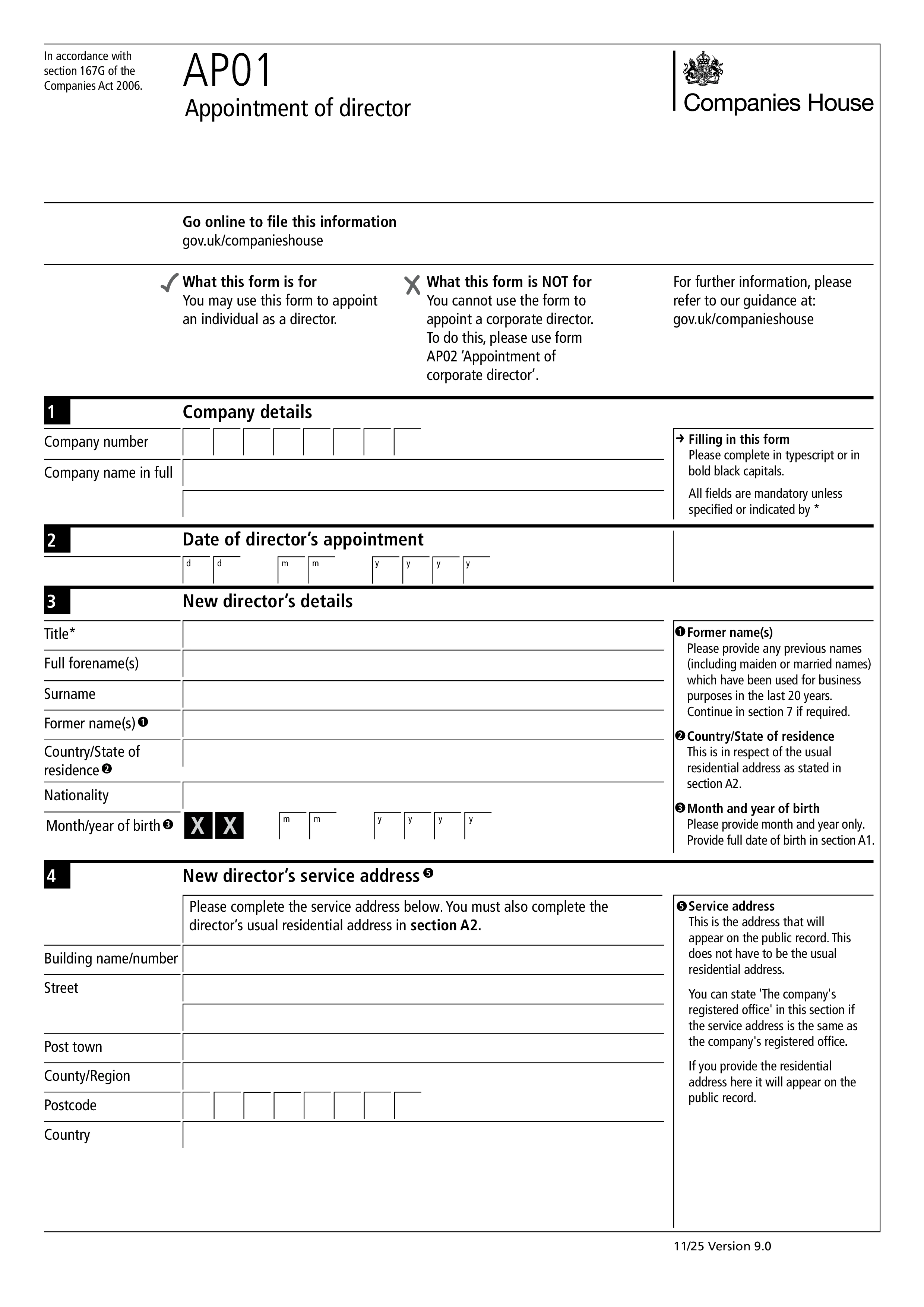
Form AP01 is the Companies House form used by a UK limited company to notify the registrar when a new director is appointed. Every UK private limited company must have at least one director, and every appointment of a new director must be reported to Companies House within 14 days. Failure to file on time is a criminal offence for the company and its officers, and can result in penalties and adverse marks on the company's public record. AP01 covers appointments of individual directors; use Form AP02 to appoint a corporate director.
The company itself files AP01, usually through the company secretary, an existing director, or the company's accountant. It must be submitted within 14 days of the director's appointment. Appointment happens as soon as the person consents to act and the company (through its shareholders or existing directors, per its articles) approves the appointment. Late filing can trigger enforcement action, and the appointment itself remains valid — but the company is exposed to penalties for the missed deadline.
The company's full name and registration number; the appointment date; the new director's full name (including any former names used in the last 20 years); date of birth; nationality; occupation; country/state of residence; residential address (which stays on the private Companies House record, not the public one); a service address for public correspondence; and confirmation that the person consents to act. Companies House uses the residential address for money laundering and enforcement checks but doesn't publish it.
Most companies file online through the Companies House WebFiling service or through third-party company secretarial software — online filing is faster, cheaper (usually free), and confirmed immediately. Paper filing on Form AP01 is still accepted and can be sent by post to Companies House in Cardiff (or Edinburgh/Belfast for Scottish/Northern Irish companies). After acceptance, the appointment appears on the public register within a few working days.
1. 填写表格
填入您的詳細資料和資訊,新增日期並根據需要自訂
2. 添加您的签名
透過繪製、上傳或輸入新增具有法律約束力的簽名
3. 下載或分享
您的表單已準備就緒,立即下載、分享連結或透過電子郵件發送