Form CH2 - Fill, Sign and Download | Child Benefit Claim Form
ZenDocs is not a law firm and does not provide legal advice
ZenDocs is not a law firm and does not provide legal advice
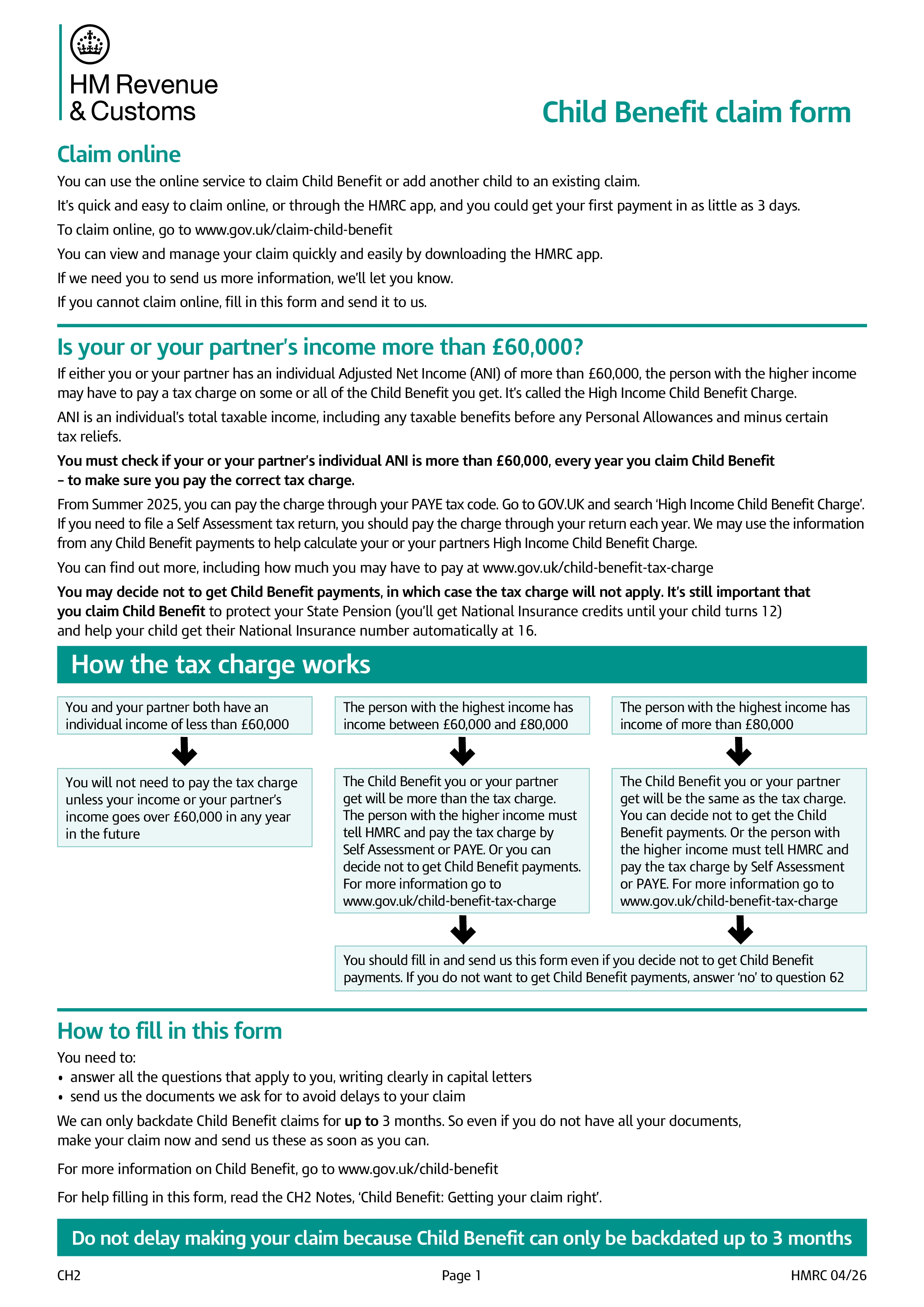
Form CH2 is HMRC's paper claim form for Child Benefit, a tax-free payment for people bringing up a child under 16, or under 20 if the young person stays in full-time non-advanced education or approved training. It's the postal alternative to claiming online, and you don't need to be the child's parent to claim, only responsible for the child, and the child doesn't need to live with you.
If you or your partner have an adjusted net income over £60,000, some or all of the Child Benefit is clawed back as a tax charge, rising to a full clawback above £80,000. Even so, it's usually worth claiming, since the claimant gets National Insurance credits toward their State Pension until the youngest child turns 12, and the child is automatically issued a National Insurance number at 16. You can claim and then opt out of the payments themselves if you'd rather not deal with the tax charge.
Your National Insurance number, the child's full name, date of birth, and (for a first claim) their birth or adoption certificate, and your bank details for payment. If you're claiming for more than two children, you also complete the separate additional-child form, CH2(CS), and send it together with CH2. The form runs to nine pages, covering your own details, your partner's details if you have one, and details for each child.
Print the form from GOV.UK, complete it in black ink using capital letters, and post it to the Child Benefit Office at the address printed on the form, along with the required certificates. Don't send photocopies of certificates, since HMRC needs the originals to process the claim and will return them once processing is complete. If you can't print the form yourself, HMRC can post you a copy if you call their helpline.
Choose your legal form
Browse the library or search to find the exact template you need
Answer simple questions
The guided editor turns your answers into a finished legal form
Sign your document
E-sign, then download, print, or share your legal document instantly
1.Choose your legal form
Browse the library or search to find the exact template you need
2.Answer simple questions
The guided editor turns your answers into a finished legal form
3.Sign your document
E-sign, then download, print, or share your legal document instantly