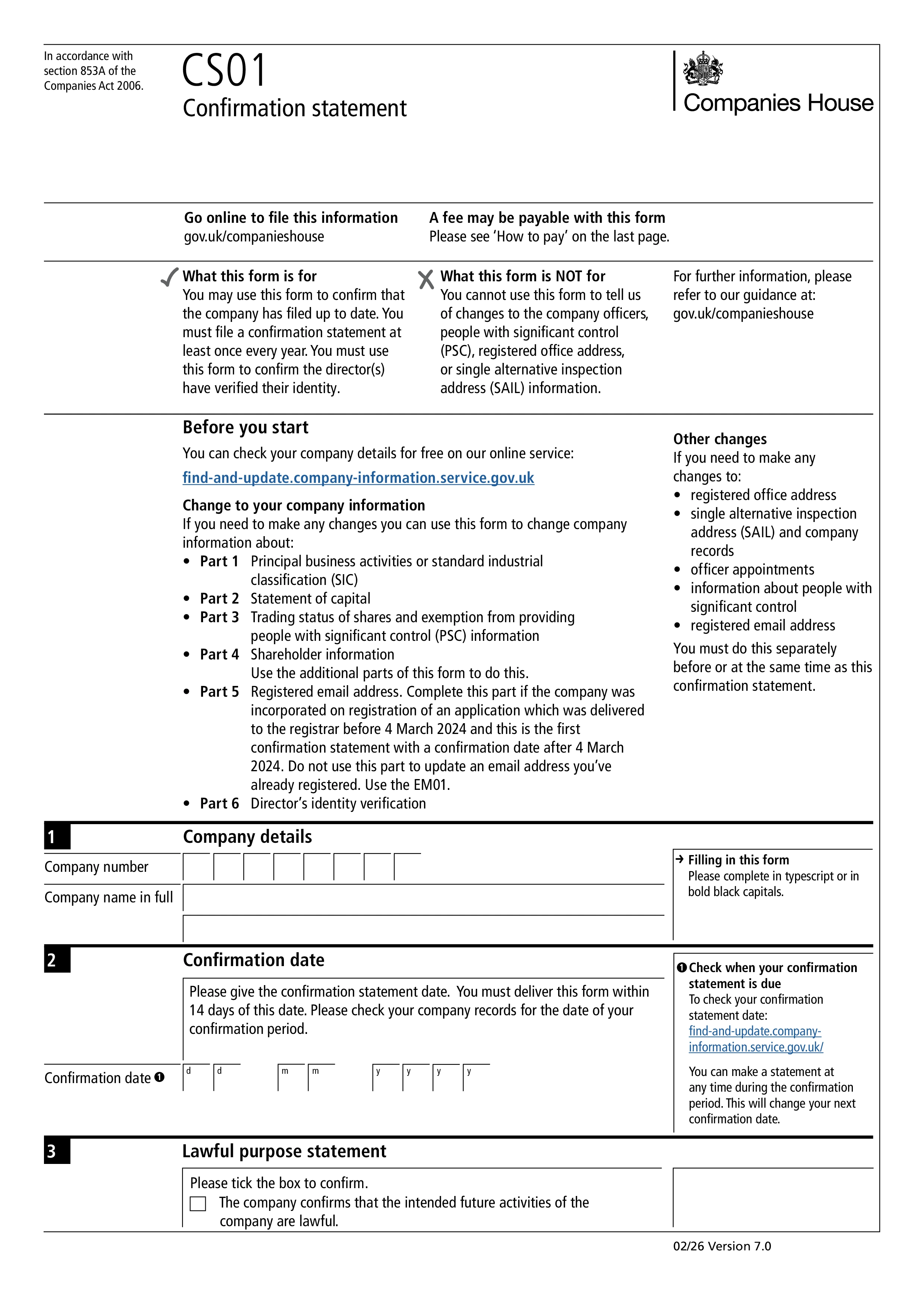
Form CS01, the confirmation statement, is the annual filing every UK limited company and limited liability partnership (LLP) must submit to Companies House to confirm that the information held on the public register is accurate and up to date. It replaced the older annual return (Form AR01) in 2016, shifting the filing from a full re-statement of company data to a simpler "confirm and update" model. CS01 must be filed at least once every 12 months regardless of whether the company is actively trading or dormant.
CS01 confirms the accuracy of the company's registered office address, directors and their details, company secretary (if any), shareholders and their shareholdings, statement of capital, persons with significant control (PSC), and the SIC codes describing the company's business activities. If anything has changed since the last confirmation statement (or incorporation, for a first filing), you update the relevant section of CS01, or file the specific change form for that update (such as AP01 for a new director) before or alongside the confirmation statement.
Every company has a "review period" - normally 12 months from incorporation or from the date of the previous confirmation statement. You must deliver CS01 to Companies House within 14 days of the end of that review period. Missing the deadline is a criminal offence and can lead to prosecution of the company and its officers, and in serious cases Companies House can take steps to strike the company off the register. Since November 2025, all directors must have verified their identity with Companies House before a confirmation statement can be filed, and every filing now requires a lawful purpose statement and a registered email address for the company.
Most companies file online through Companies House WebFiling or third-party company secretarial software - online filing costs £34 (current fee, check GOV.UK) and is processed quickly. Paper filing by post costs £62 and is slower. The fee covers one confirmation statement per 12-month review period, no matter how many times you update information within that period - additional confirmation statements within the same period, if needed, don't attract another fee.
Choose your legal form
Browse the library or search to find the exact template you need
Answer simple questions
The guided editor turns your answers into a finished legal form
Sign your document
E-sign, then download, print, or share your legal document instantly
1.Choose your legal form
Browse the library or search to find the exact template you need
2.Answer simple questions
The guided editor turns your answers into a finished legal form
3.Sign your document
E-sign, then download, print, or share your legal document instantly