Form MR01 - Fill, Sign and Download | Particulars of a Charge
ZenDocs is not a law firm and does not provide legal advice.
ZenDocs is not a law firm and does not provide legal advice.
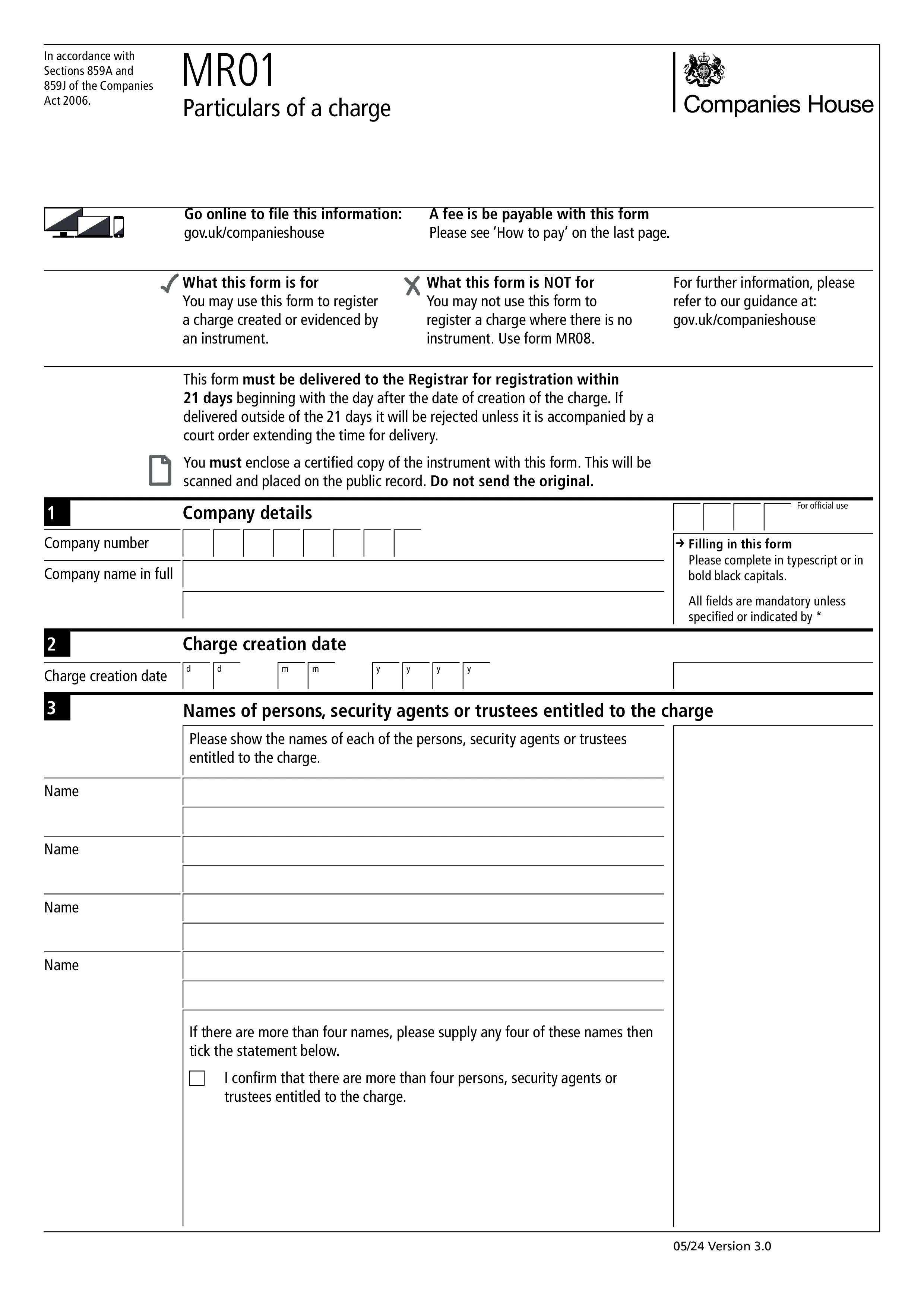
Form MR01, Particulars of a charge, is how a charge over a company's assets is registered at Companies House. It is used when the charge is created or evidenced by an instrument, such as a debenture or a legal mortgage. Registration puts the charge on the public record so that lenders and others can see which assets are secured.
The form must reach the Registrar within 21 days beginning with the day after the charge was created. If it is delivered later than that, it will be rejected unless it comes with a court order extending the time for delivery. You must also enclose a certified copy of the instrument, which is scanned onto the public record. Do not send the original.
You give the company number and name, the date the charge was created, and the names of up to four persons, security agents or trustees entitled to it. You add a brief description of any land, ship, aircraft or intellectual property subject to a fixed charge, and answer whether the instrument includes other fixed security, a floating charge, or a negative pledge. A trustee statement is optional, and the form is authenticated by a person with an interest in the charge.
The version of the form on this page states a fee of £24 for each mortgage or charge filed on paper, so check GOV.UK for the current fee before you send it. Form MR01 cannot be used to register a charge where there is no instrument, which is done on Form MR08. A late statement about a trustee can be filed afterwards on Form MR06.
Choose your legal form
Browse the library or search to find the exact template you need
Answer simple questions
The guided editor turns your answers into a finished legal form
Sign your document
E-sign, then download, print, or share your legal document instantly
1.Choose your legal form
Browse the library or search to find the exact template you need
2.Answer simple questions
The guided editor turns your answers into a finished legal form
3.Sign your document
E-sign, then download, print, or share your legal document instantly