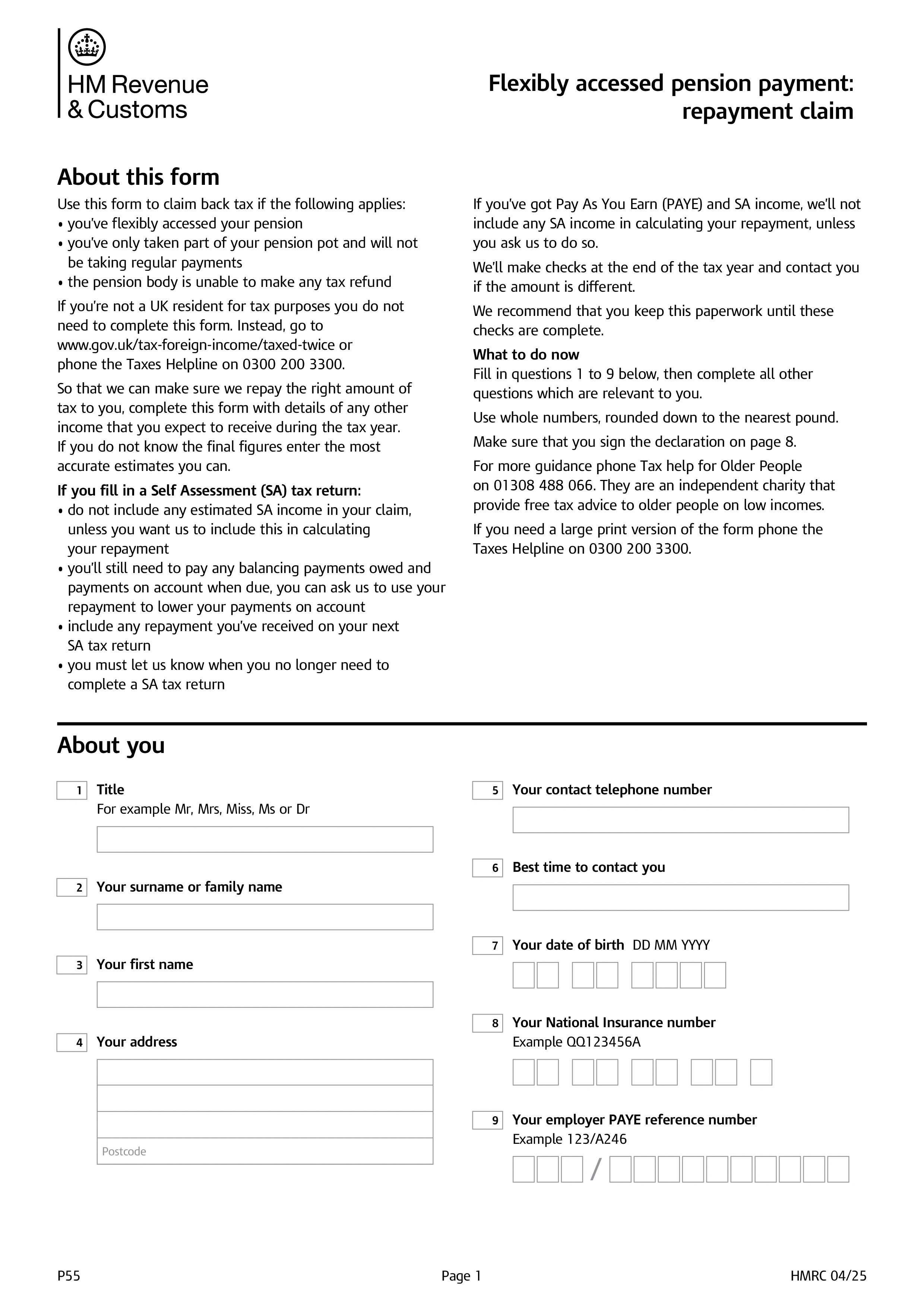
HMRC Form P55 is the claim form used to reclaim overpaid tax when you've flexibly accessed part of your pension pot - taking a single withdrawal or occasional lump sums rather than emptying the pot entirely or setting up regular income. Pension providers typically apply an emergency "month 1" tax code to the first flexible withdrawal, which usually overtaxes the payment because it assumes the withdrawal will repeat every month for a full year. P55 lets you recover that overpayment during the tax year rather than waiting for the automatic end-of-year reconciliation.
Use P55 specifically when: you've taken only part of your pension pot flexibly (not the whole amount); you won't be taking regular, continuing payments from the pension in the same tax year; and your pension provider is unable to make the tax refund itself (which happens when you don't have a P45 from the pension payment, or the payment was a genuinely one-off withdrawal). If you've emptied the entire pot, use P50Z (no other income) or P53Z (other PAYE income) instead. If you're taking regular ongoing payments, your tax code should correct itself through PAYE without needing a separate claim.
Details of the pension payment (gross amount, tax deducted, the pension provider's name and PAYE reference), your other income for the tax year (employment, other pensions, self-employment, state pension, savings interest, dividends), your National Insurance number, and bank details for the refund. HMRC recalculates your tax position for the year based on the full picture of your income, not just the emergency-coded pension payment, and refunds the difference.
Submit online through your HMRC Government Gateway account (the fastest route), or by post using the printable P55 form for the relevant tax year (a new version is published every April). HMRC aims to process P55 claims within 30 days of receipt, and pays the refund by Faster Payment to your bank account or by cheque. If your circumstances change again later in the tax year (further withdrawals or other income), you may need a further P55 or wait for end-of-year reconciliation to settle the final position.
Choose your legal form
Browse the library or search to find the exact template you need
Answer simple questions
The guided editor turns your answers into a finished legal form
Sign your document
E-sign, then download, print, or share your legal document instantly
1.Choose your legal form
Browse the library or search to find the exact template you need
2.Answer simple questions
The guided editor turns your answers into a finished legal form
3.Sign your document
E-sign, then download, print, or share your legal document instantly