Form RX1 - Fill, Sign and Download | Application for a Restriction
ZenDocs is not a law firm and does not provide legal advice
ZenDocs is not a law firm and does not provide legal advice
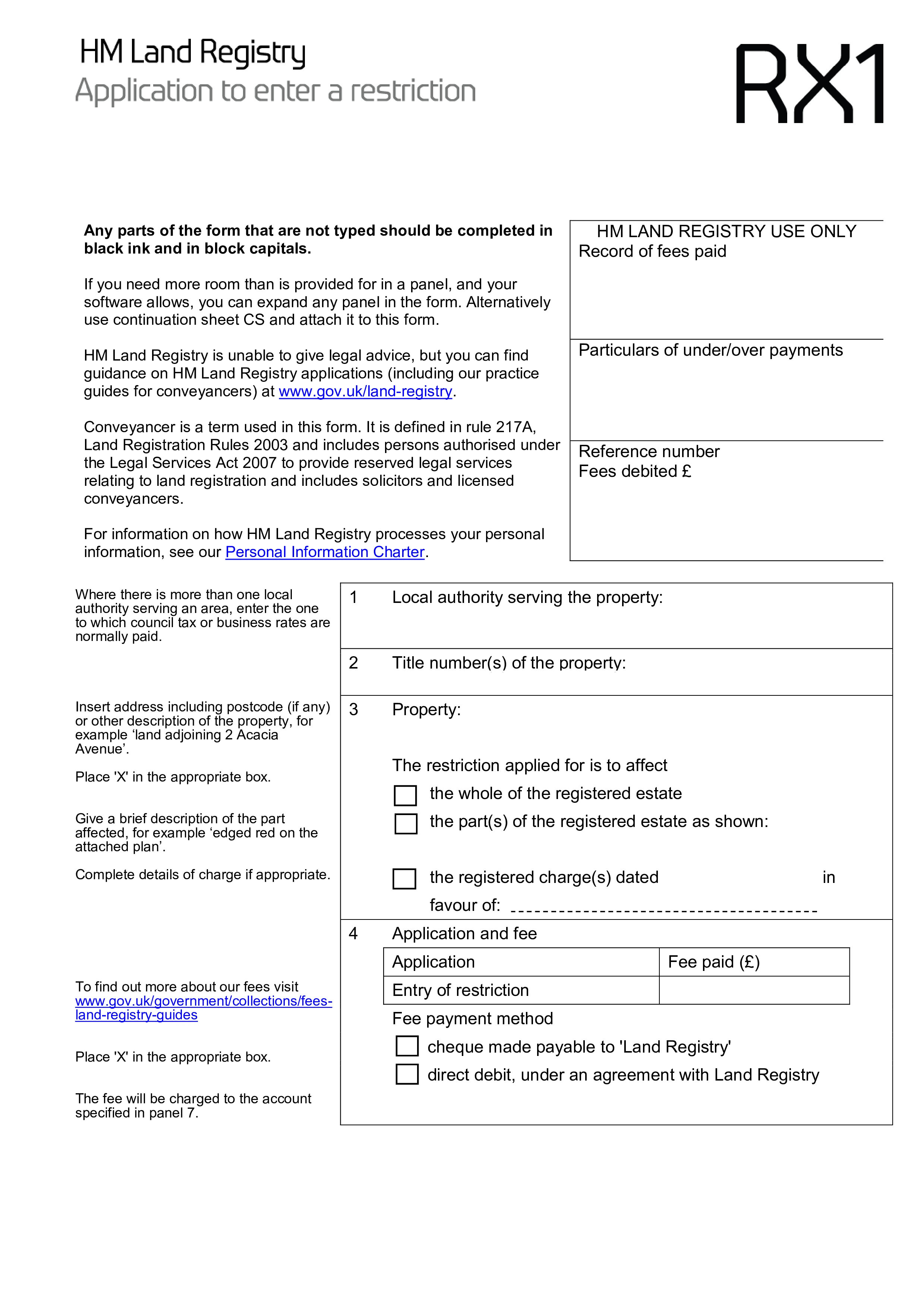
Form RX1 is the standard application to HM Land Registry to enter a restriction against a registered title. A restriction doesn't transfer or protect an interest in the way a notice does; instead, it puts a procedural lock on the register, meaning a specified condition, such as a court order or a second signature, must be satisfied before certain dealings with the property, like a sale or a new mortgage, can be registered.
Typical uses include protecting a co-owner's beneficial interest where they contributed to a property but aren't named on the title, often using the standard Form A restriction for tenants in common; registering a restriction following a charging order obtained by a creditor; and protecting a trust arrangement where the legal owner holds the property for someone else's benefit. Anyone with a genuine interest in the property can apply, though section 77 of the Land Registration Act 2002 makes it an offence to apply without reasonable cause.
The form has thirteen panels, and several require careful legal judgement, particularly the panel that determines your entitlement to apply and the panel where you specify the wording of the restriction itself using the standard forms set out in the Land Registration Rules. You'll need the correct title number for the property, which you can find using HM Land Registry's portal if you don't already have it, since an application against the wrong title will be rejected.
Standard restrictions can often be applied for electronically through HM Land Registry's portal using the e-RX1 service, which is faster than paper for straightforward cases. Non-standard restrictions, or applications affecting only part of a registered title, can't be lodged electronically and must go by post or the Document Registration Service instead, along with the applicable HM Land Registry fee.
Choose your legal form
Browse the library or search to find the exact template you need
Answer simple questions
The guided editor turns your answers into a finished legal form
Sign your document
E-sign, then download, print, or share your legal document instantly
1.Choose your legal form
Browse the library or search to find the exact template you need
2.Answer simple questions
The guided editor turns your answers into a finished legal form
3.Sign your document
E-sign, then download, print, or share your legal document instantly