HMRC SA1 – Fill, Sign and Download | Register for Self Assessment
Krypterad & raderas automatiskt efter 15 dagar
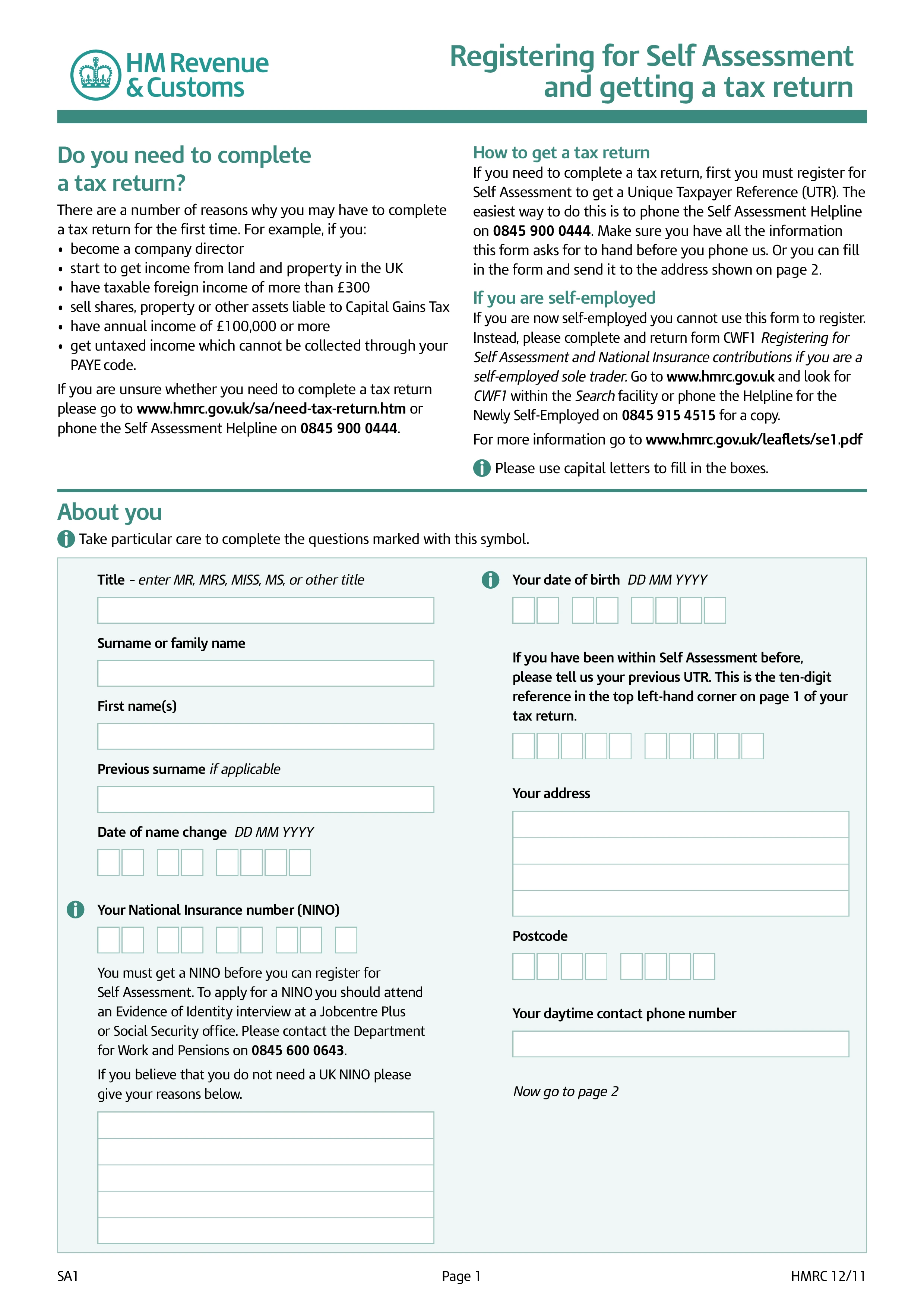
HMRC Form SA1, Registering for Self Assessment and Getting a Tax Return, is the form UK taxpayers use to register with HM Revenue & Customs (HMRC) for Self Assessment when they need to complete a tax return but aren't registering as self-employed. Once registered, HMRC issues a Unique Taxpayer Reference (UTR) and expects an annual SA100 return by the 31 January online deadline. Sole traders use Form CWF1 instead, which handles Self Assessment registration together with Class 2 National Insurance registration.
File SA1 if any of the following applies for the tax year: you're a company director; you receive rental income above the property allowance; you have untaxed savings interest or dividends above the allowances; you have foreign income; you have Capital Gains Tax to report; your income exceeds the Self Assessment threshold; you claim reliefs (such as gift aid carry-back, EIS/SEIS relief, foreign tax credit) that require a Self Assessment return; or HMRC has otherwise notified you to file a return. Self-employed sole traders use Form CWF1 instead.
Register by 5 October following the end of the first tax year for which you need to file — for example, 5 October 2025 for the 2024/25 tax year. Late registration triggers a "failure to notify" penalty in addition to any late-filing and late-payment penalties. Once registered, HMRC issues your UTR by post within a few weeks and enrols you on the Self Assessment record so you can file online.
Complete the form with your personal details (name, address, date of birth, National Insurance number), the reason you need to register (rental income, higher-rate income, dividends, foreign income, company director, etc.), and any employment or PAYE details. Submit online through the HMRC Government Gateway service or on paper by post to the address printed on the form. Processing typically takes several weeks — HMRC sends the UTR by post along with instructions for setting up online Self Assessment access.
1. Fyll i formuläret
Fyll i dina uppgifter och information, lägg till datum och anpassa efter behov
2. Lägg till din signatur
Lägg till juridiskt bindande signatur genom att rita, ladda upp eller skriva
3. Ladda ner eller dela
Ditt formulär är klart, ladda ner, dela länk eller skicka via e-post omedelbart