Form TM01 – Fill, Sign and Download | Termination of Director
Chiffré et supprimé automatiquement après 15 jours
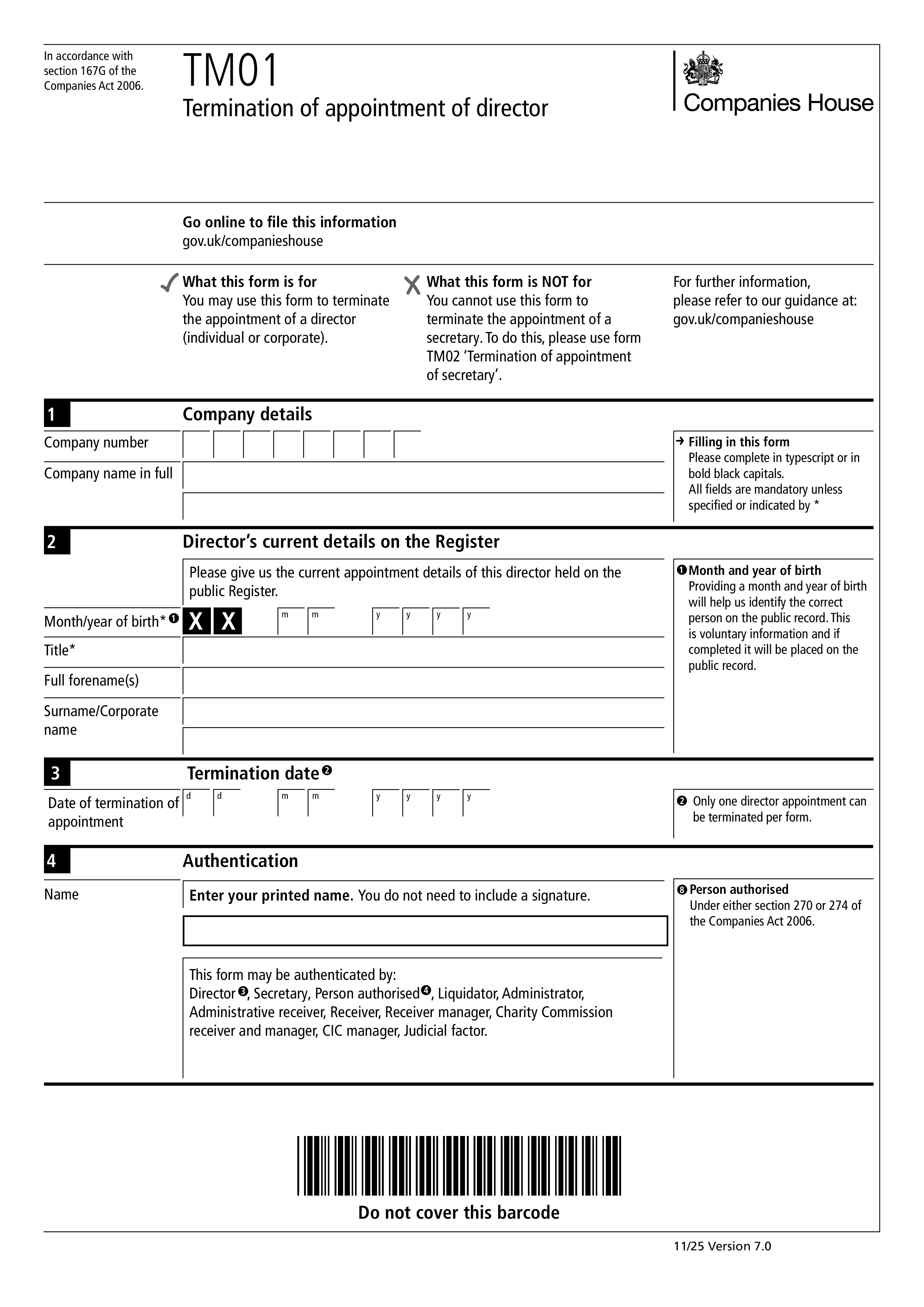
Form TM01 is the Companies House form used by a UK limited company to notify the registrar when an individual director's appointment ends. The termination can happen for any reason — resignation, removal by shareholders, retirement, disqualification order, or death. Every UK company must keep at least one natural-person director on the register at all times, so if the departing director is the sole director, a replacement must be appointed (Form AP01) before or at the same time as filing TM01. Use Form TM02 to terminate the appointment of a corporate director.
The company itself files TM01, usually through the company secretary, an existing director, or the company's accountant. It must be submitted within 14 days of the effective termination date. Late filing is a criminal offence for the company and its officers, and Companies House can impose enforcement action. The termination itself is effective from the date agreed with the director (or ordered by shareholders or the court), regardless of when the form is filed — but timely filing keeps the public register accurate.
The company's name and registration number; the director's full name (including any former names used); the director's date of birth (for identity confirmation); and the date the appointment ended. TM01 doesn't collect the reason for termination and doesn't require the departing director's signature — the company files it. If the termination was contentious (e.g., removal against the director's wishes), the departing director may want to file their own note with Companies House, though this is unusual.
Most companies file online through Companies House WebFiling or third-party company secretarial software — online filing is free, faster, and confirmed immediately. Paper filing by post is also accepted but slower. After Companies House processes the form, the director is removed from the public register within a few working days. The company should also update its internal register of directors and, if the director was a person with significant control (PSC), file a change on Form PSC07.
1. Remplissez le formulaire
Remplissez vos détails et informations, ajoutez la date et personnalisez selon vos besoins
2. Ajouter votre signature
Ajoutez une signature légalement contraignante en dessinant, téléchargeant ou tapant
3. Télécharger ou partager
Votre formulaire est prêt, téléchargez, partagez le lien ou envoyez par e-mail instantanément