HMRC 64-8 – Fill, Sign and Download | Authorising Your Tax Agent
암호화되며 15일 후 자동 삭제됩니다
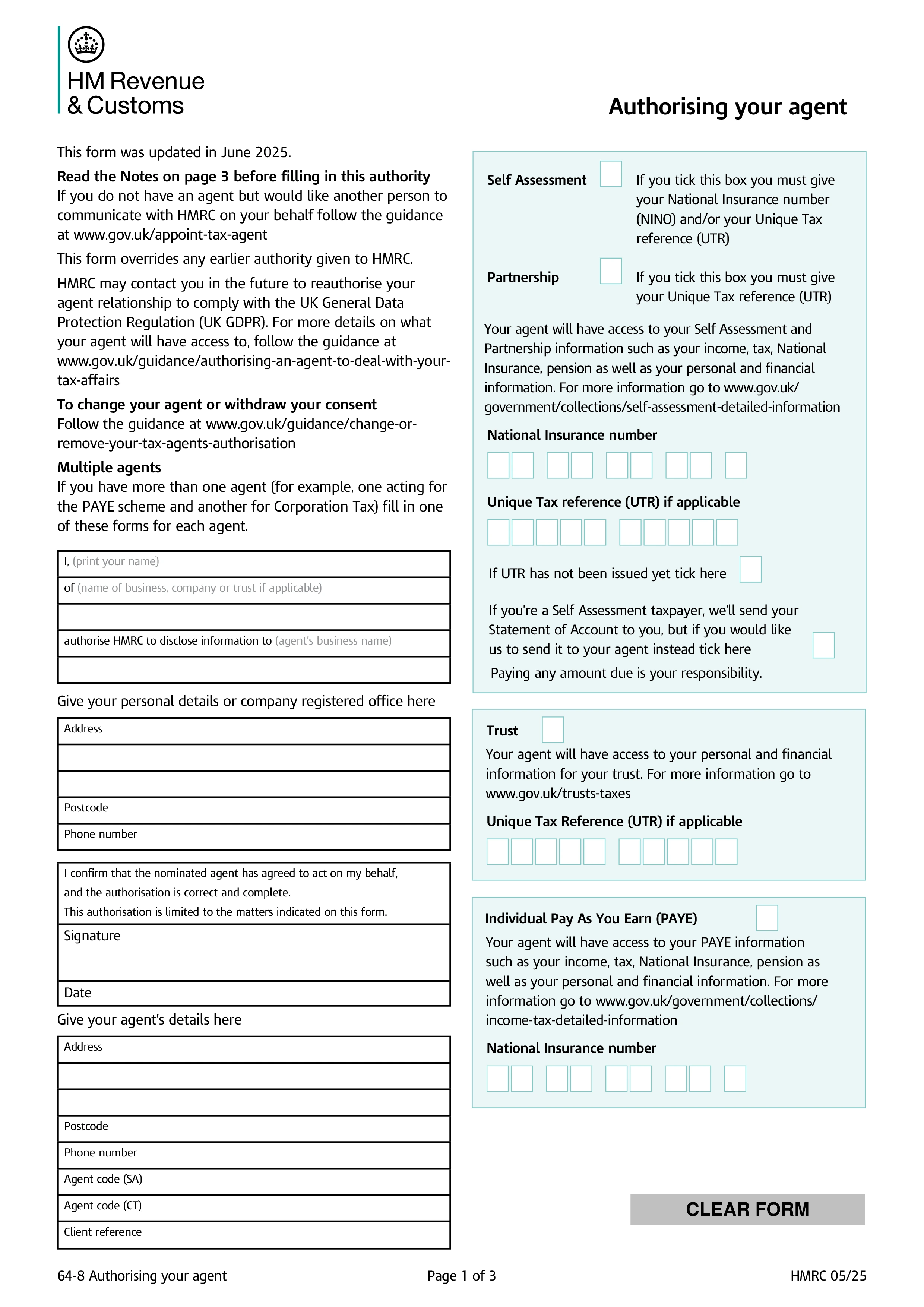
HMRC Form 64-8, Authorising Your Agent, is the official document a taxpayer (individual or business) signs to authorise an accountant, tax adviser, or other agent to deal with HMRC on their behalf. Once submitted and processed, HMRC will correspond with the agent — answering queries, sending notices, receiving information — for the tax regimes selected on the form. Most accountancy and tax adviser relationships in the UK start with a signed 64-8 covering the relevant taxes.
The form has tick-boxes for each tax regime the authorisation should cover: Self Assessment (individuals or partnerships); PAYE (employers); VAT; Corporation Tax; Construction Industry Scheme; trusts and estates; tax credits; and High Income Child Benefit Charge. The taxpayer can authorise the agent for one regime or several. Authorisation continues until the taxpayer or agent ends it — usually through HMRC's online services or a new 64-8 designating a different agent.
HMRC has gradually moved most agent authorisation online through the Agent Services Account (ASA) and the digital handshake process — for many services, the taxpayer simply confirms authorisation in their HMRC online account. Form 64-8 remains the fallback for clients without digital access, for older regimes not yet fully digitised, and for cases where the agent prefers a written authorisation on file. Many practices use the digital route for new clients and 64-8 for the rest.
The taxpayer completes their personal/business details, the agent provides their name and agent reference numbers, and both sign and date. Tick every regime the authorisation should cover. Send the completed 64-8 to the address listed in the form's instructions — HMRC has different central addresses for individuals, agents, and certain tax regimes. Processing typically takes several weeks, after which the agent appears on HMRC's records for the listed regimes. Keep a copy of the signed form for your records and update it when the agent changes or the authorisation ends.
1. 양식을 작성하세요
세부 정보와 정보를 입력하고, 날짜를 추가하고 필요에 따라 사용자 정의하세요
2. 서명을 추가하세요
그리기, 업로드 또는 타이핑으로 법적 구속력이 있는 서명을 추가하세요
3. 다운로드 또는 공유
양식이 준비되었습니다. 즉시 다운로드하거나 링크를 공유하거나 이메일로 보내세요