Form AP01 – Fill, Sign and Download | Appointment of Director
암호화되며 15일 후 자동 삭제됩니다
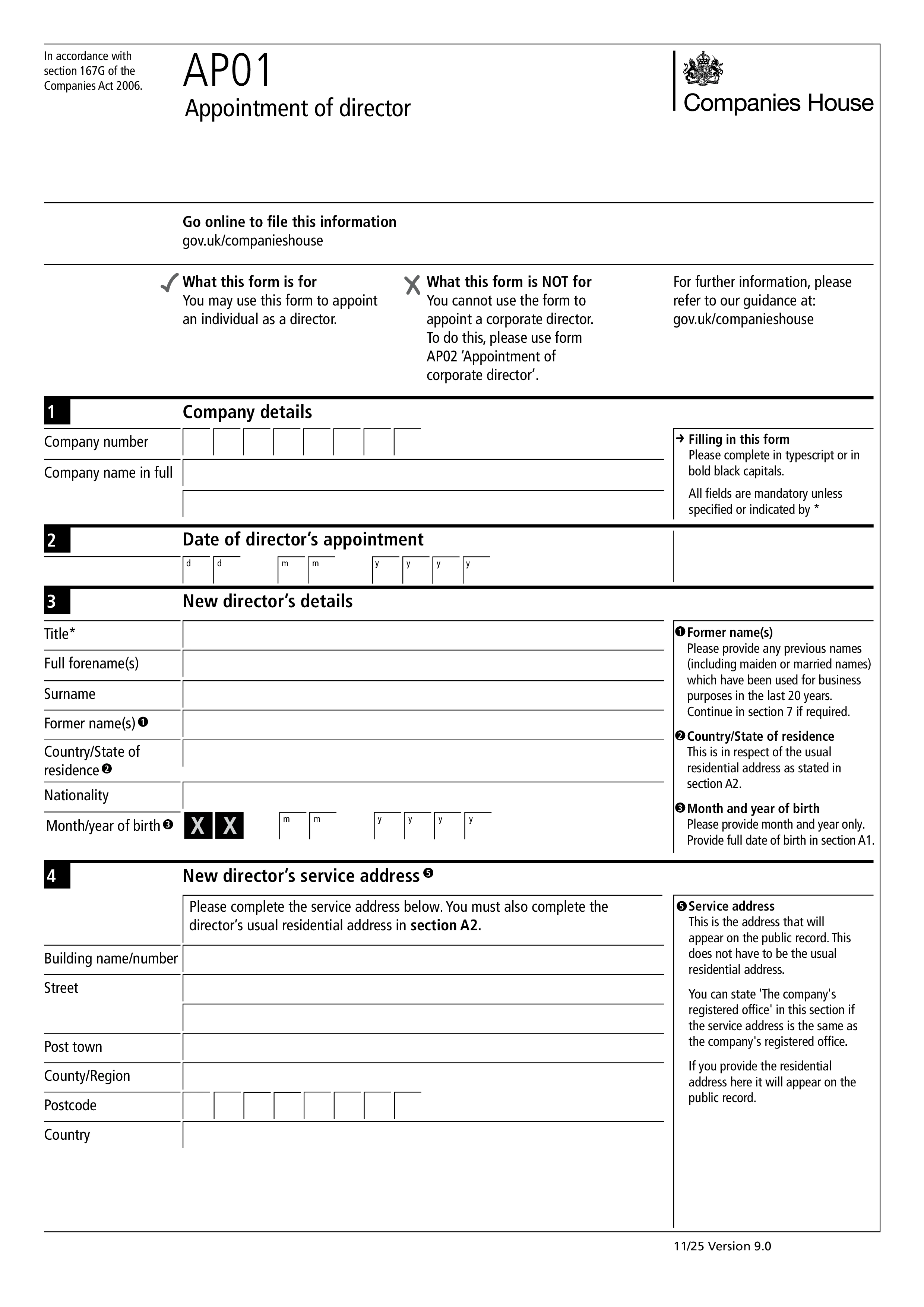
Form AP01 is the Companies House form used by a UK limited company to notify the registrar when a new director is appointed. Every UK private limited company must have at least one director, and every appointment of a new director must be reported to Companies House within 14 days. Failure to file on time is a criminal offence for the company and its officers, and can result in penalties and adverse marks on the company's public record. AP01 covers appointments of individual directors; use Form AP02 to appoint a corporate director.
The company itself files AP01, usually through the company secretary, an existing director, or the company's accountant. It must be submitted within 14 days of the director's appointment. Appointment happens as soon as the person consents to act and the company (through its shareholders or existing directors, per its articles) approves the appointment. Late filing can trigger enforcement action, and the appointment itself remains valid — but the company is exposed to penalties for the missed deadline.
The company's full name and registration number; the appointment date; the new director's full name (including any former names used in the last 20 years); date of birth; nationality; occupation; country/state of residence; residential address (which stays on the private Companies House record, not the public one); a service address for public correspondence; and confirmation that the person consents to act. Companies House uses the residential address for money laundering and enforcement checks but doesn't publish it.
Most companies file online through the Companies House WebFiling service or through third-party company secretarial software — online filing is faster, cheaper (usually free), and confirmed immediately. Paper filing on Form AP01 is still accepted and can be sent by post to Companies House in Cardiff (or Edinburgh/Belfast for Scottish/Northern Irish companies). After acceptance, the appointment appears on the public register within a few working days.
1. 양식을 작성하세요
세부 정보와 정보를 입력하고, 날짜를 추가하고 필요에 따라 사용자 정의하세요
2. 서명을 추가하세요
그리기, 업로드 또는 타이핑으로 법적 구속력이 있는 서명을 추가하세요
3. 다운로드 또는 공유
양식이 준비되었습니다. 즉시 다운로드하거나 링크를 공유하거나 이메일로 보내세요