Form V62 – Fill, Sign and Download | Apply for a Vehicle Registration
Titkosítva, 15 nap után automatikusan törölve
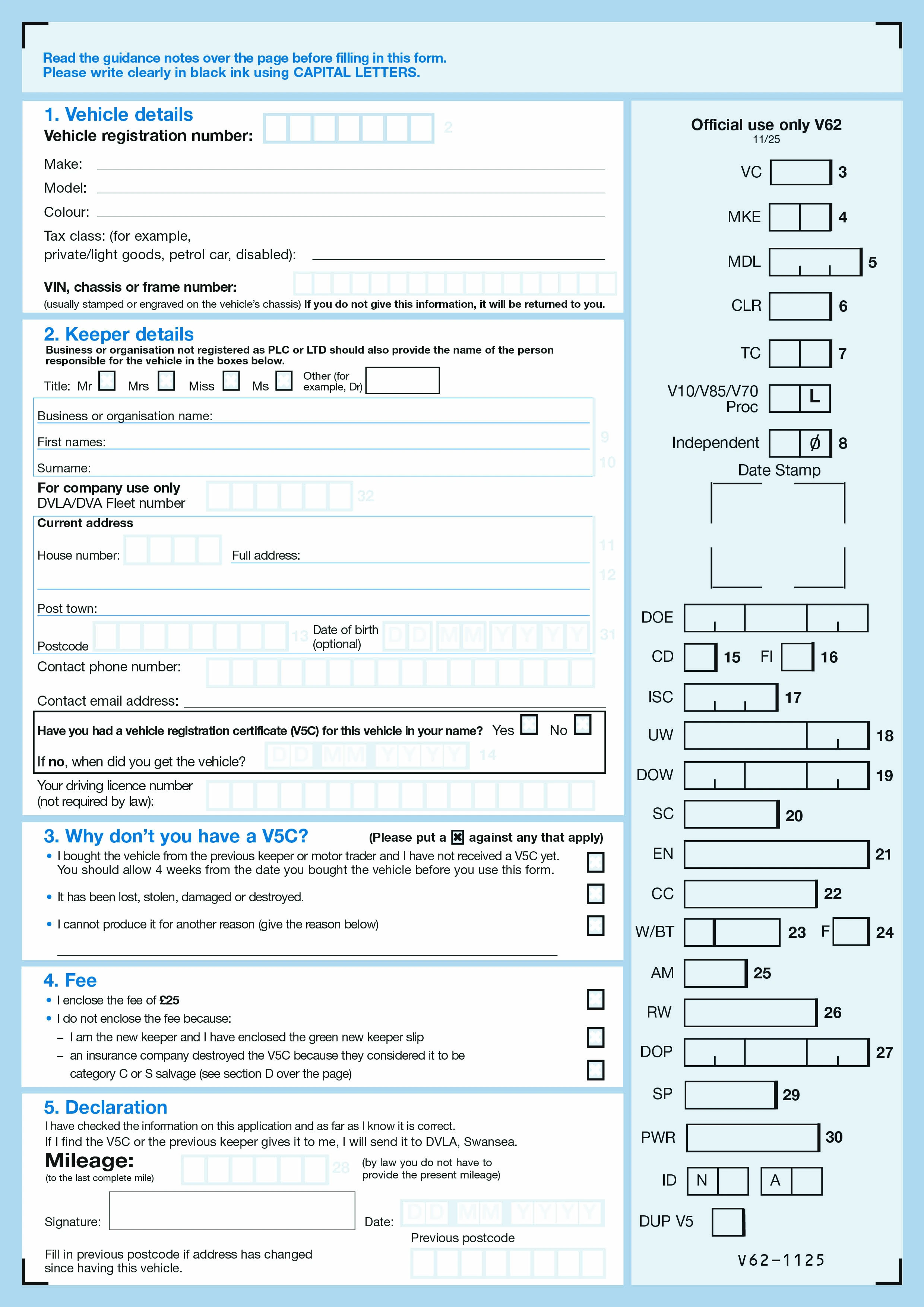
Form V62 is the DVLA (Driver and Vehicle Licensing Agency) application to obtain a new UK vehicle registration certificate — commonly called the V5C or "logbook". The V5C is the document that records the registered keeper of a UK vehicle. V62 is filed when the original V5C is lost, stolen, damaged, or destroyed, and also when someone buys a vehicle from a private seller who cannot provide a V5C. Once issued, the new V5C replaces the previous one and is the definitive record of the vehicle's keeper.
Anyone who is the registered keeper of a UK vehicle whose V5C is missing or damaged, and anyone who has just bought a vehicle without receiving a V5C from the seller. Buyers should insist on receiving the V5C at the point of purchase — using V62 to register as the new keeper without the seller's involvement adds time and can complicate the transaction. In cases of theft, report the loss to the police first and get a crime reference number to include on V62.
The vehicle registration mark; make and model; VIN or chassis number; engine number; colour; the applicant's full name and address; date the applicant took ownership (for new-keeper applications); the reason for the application (lost, stolen, damaged, never received); the date of loss or theft and any police crime reference number for stolen V5Cs; and the applicant's signature. If applying as a new keeper without a V5C, additional evidence of the purchase (invoice, bill of sale) is helpful but not strictly required.
Send the completed V62 by post to DVLA Swansea with the applicable fee (currently £25 — check GOV.UK for the up-to-date amount). The DVLA does not accept V62 online. Processing typically takes up to six weeks; longer if additional checks are needed. During processing you cannot tax, sell, or transfer the vehicle. Once approved, the new V5C is posted to the registered address; contact the DVLA if it doesn't arrive within eight weeks of posting.
1. Töltse ki az űrlapot
Töltse ki adatait és információit, adjon hozzá dátumot és szabja testre szükség szerint
2. Add hozzá az aláírásod
Adjon hozzá jogilag kötelező aláírást rajzolással, feltöltéssel vagy gépelésssel
3. Töltse le vagy ossza meg
Az űrlap kész, töltse le, ossza meg a linket vagy küldje el emailben azonnal