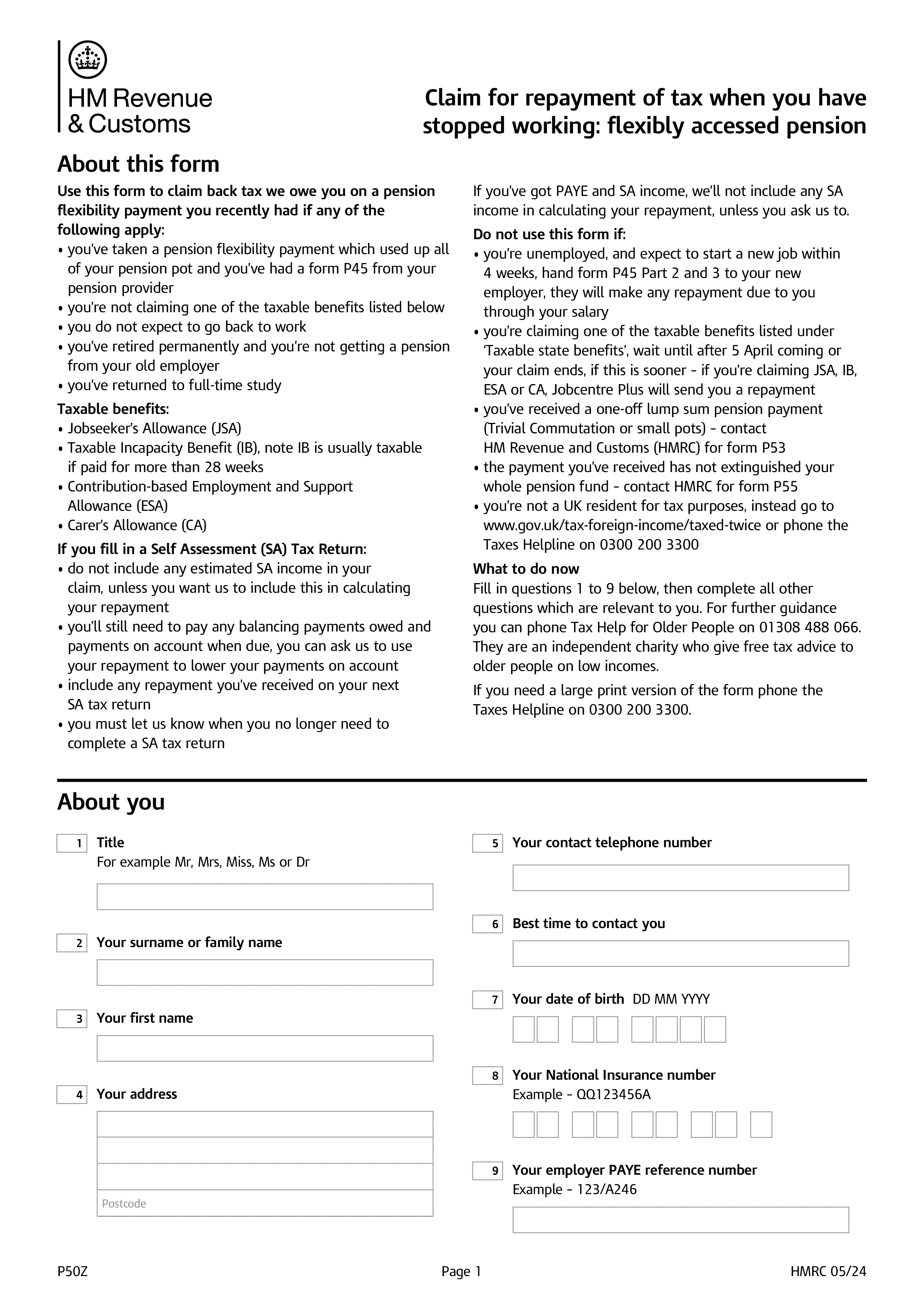
HMRC P50Z – Fill, Sign and Download | Pension Tax Refund Claim
Verschlüsselt & nach 15 Tagen automatisch gelöscht
HMRC Form P50Z is the UK claim form used to reclaim overpaid tax when a taxpayer has taken their entire pension pot as a lump sum under flexible access rules and has stopped work (or was already not working). Pension providers typically deduct tax on flexibly accessed lump sums using an emergency "month 1" tax code, which overstates the tax owed. Form P50Z lets you recover the overpayment during the same tax year rather than waiting until the end-of-year reconciliation.
Use P50Z if you've fully cashed in your defined contribution pension (drawing the whole flexible pot in one payment or a series that empties it) AND you don't expect any further taxable income during the current tax year — no employment, no other pension in payment, no self-employment. If you've only taken part of your pot, use P55 instead; if you've taken your whole pot but you're still receiving other PAYE income, use P53Z; if you've simply stopped working with no pension involvement, use P50.
Your P45 from the pension provider (parts 2 and 3) showing the gross amount and tax deducted; details of any other income sources during the tax year (employment, other pensions, self-employment, benefits, savings interest, dividends); your National Insurance number; and your Unique Taxpayer Reference (UTR) if you have one. HMRC uses these to reconstruct your tax position for the year and calculate the refund.
Submit P50Z online through your HMRC Government Gateway account or on paper by post to the address printed on the form. HMRC typically processes P50Z within a few weeks and issues the refund by bank transfer (if you've provided details) or cheque. The refund reflects the difference between the emergency-code tax deducted at source and the correct tax based on your total income for the year — often several thousand pounds when a large pension pot has been fully drawn.
1. Formular ausfüllen
Füllen Sie Ihre Details und Informationen aus, fügen Sie ein Datum hinzu und passen Sie es nach Bedarf an
2. Unterschrift hinzufügen
Fügen Sie eine rechtlich bindende Unterschrift hinzu, indem Sie zeichnen, hochladen oder tippen
3. Herunterladen oder teilen
Ihr Formular ist bereit, laden Sie es herunter, teilen Sie den Link oder senden Sie es sofort per E-Mail