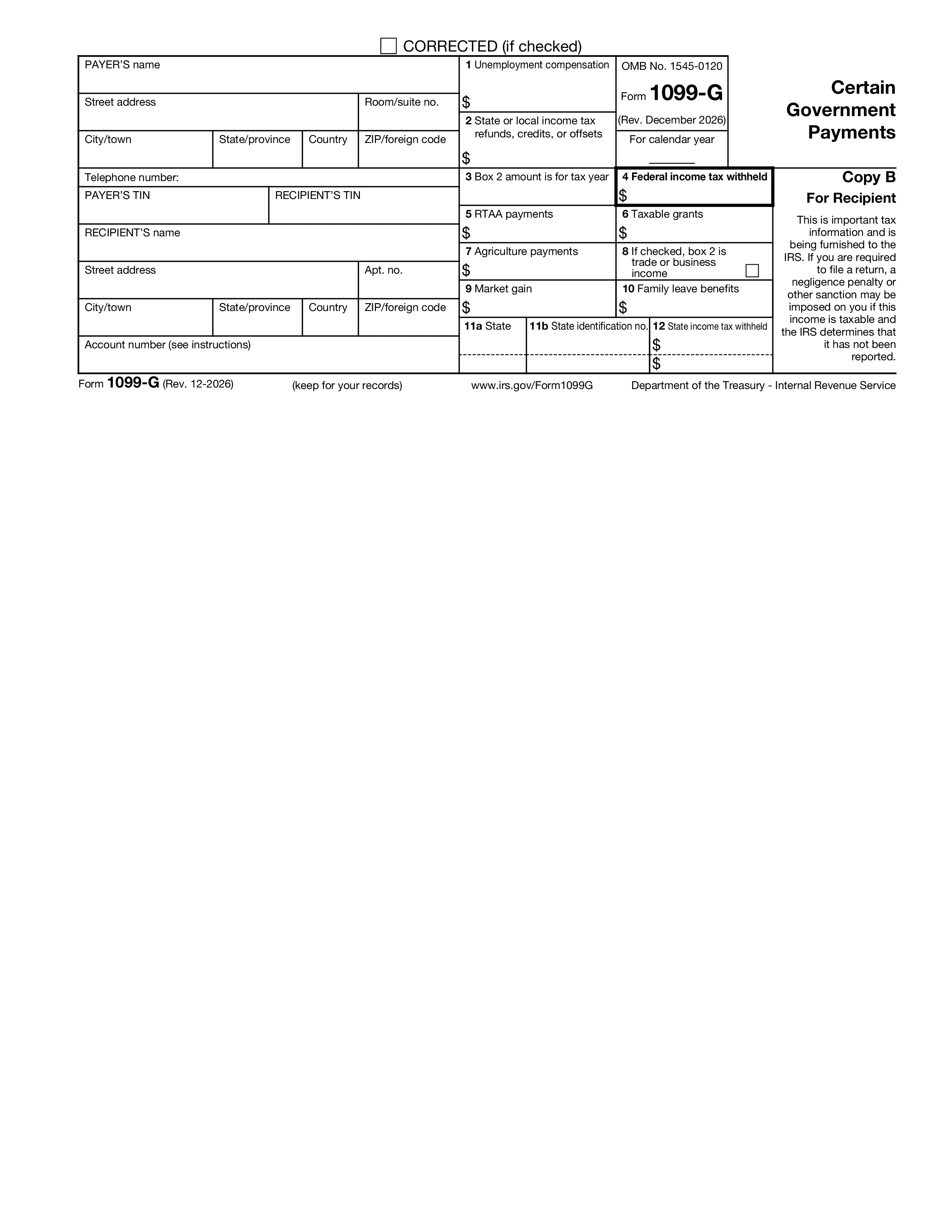
Form 1099-G, Certain Government Payments, is the information return federal, state, and local government agencies issue to report payments they made to taxpayers during the year. The most common amounts on a 1099-G are unemployment compensation paid by state unemployment offices and refunds, credits, or offsets of state or local income taxes — but the form also covers taxable grants, agricultural payments, market gain on Commodity Credit Corporation loans, and reemployment trade adjustment assistance.
Government agencies issue Form 1099-G to recipients of $10 or more in unemployment compensation, $10 or more in state or local tax refunds, $600 or more in taxable grants, $600 or more in agricultural payments, or any amount of certain other government payments. Recipients are individuals, partnerships, corporations, trusts, and estates that received the payment. The same recipient may receive multiple 1099-Gs from different agencies in the same year — each is reported separately on the recipient's tax return.
Box 1: unemployment compensation. Box 2: state or local income tax refunds, credits, or offsets. Box 3: tax year of the refund in Box 2. Box 4: federal income tax withheld (voluntary withholding on unemployment). Box 5: RTAA payments (reemployment trade adjustment assistance). Box 6: taxable grants. Box 7: agricultural payments. Box 8: trade or business income box. Box 9: market gain on CCC loans. State info appears in lower boxes for state tax reporting.
Government agencies must furnish Copy B to the recipient by January 31. Copy A is filed with the IRS by February 28 on paper or March 31 electronically. Filers with 10 or more information returns of any type must e-file. Recipients use the amounts on Form 1099-G to complete their Form 1040: unemployment compensation on the unemployment line, state tax refunds on the taxable refund line (subject to the tax-benefit rule — only the portion that was a tax benefit in the prior year is taxable), taxable grants and agricultural payments on Schedule 1 or Schedule F as applicable.
1. Fill out the form
Fill in your details and information, add date and customize as needed
2. Add your signature
Add legally-binding signature by drawing, uploading, or typing
3. Download or share
Your form is ready, download, share link or send via email instantly