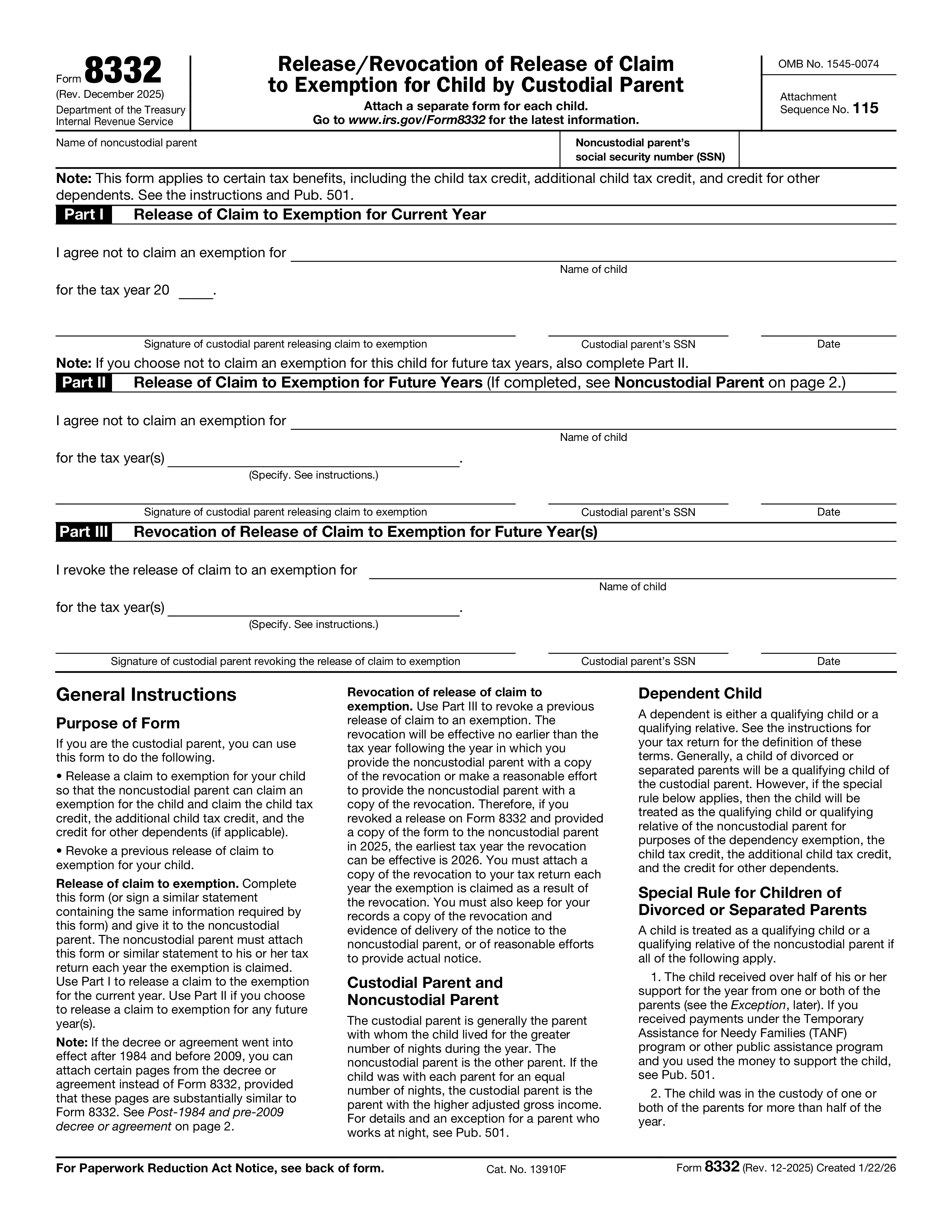
Form 8332, Release/Revocation of Release of Claim to Exemption for Child by Custodial Parent, is the IRS form that lets a custodial parent transfer the right to claim a child as a dependent — and the related tax benefits such as the Child Tax Credit and the Credit for Other Dependents — to the noncustodial parent for a specified tax year or years. Without a signed Form 8332 (or a similar written declaration), the noncustodial parent generally cannot claim the child even if a divorce decree or separation agreement awards the dependency to them.
The custodial parent — the parent the child lived with for the greater number of nights during the year — signs Form 8332 to release the dependency claim. The noncustodial parent then attaches the signed Form 8332 to their federal tax return (Form 1040 or 1040-NR) when claiming the child. The form can release the claim for one year, several specified years, or all future years. Form 8332 is also used by the custodial parent to revoke a prior release before it expires.
A signed Form 8332 transfers the dependency exemption (currently $0 under TCJA but still relevant for filing status and tests), the Child Tax Credit / Credit for Other Dependents, and certain education credits and tuition deductions tied to claiming the dependent. It does NOT transfer the Earned Income Tax Credit, the Child and Dependent Care Credit, Head of Household filing status, or the medical expense deduction for the child's medical costs — those tax benefits remain with the custodial parent regardless of who claims the dependency.
Part I: Release for current year — custodial parent signs. Part II: Release for future years — custodial parent specifies the years. Part III: Revocation of prior release — custodial parent revokes a release for one or more named years (the revocation takes effect the year after notice is given to the noncustodial parent). The noncustodial parent attaches Form 8332 to their Form 1040 or 1040-NR each year they claim the child. If filing electronically, attach a PDF copy through the tax software's attachment feature. Keep the original signed form in your records.
1. Fill out the form
Fill in your details and information, add date and customize as needed
2. Add your signature
Add legally-binding signature by drawing, uploading, or typing
3. Download or share
Your form is ready, download, share link or send via email instantly