HMRC 64-8 – Fill, Sign and Download | Authorising Your Tax Agent
Crittografato ed eliminato automaticamente dopo 15 giorni
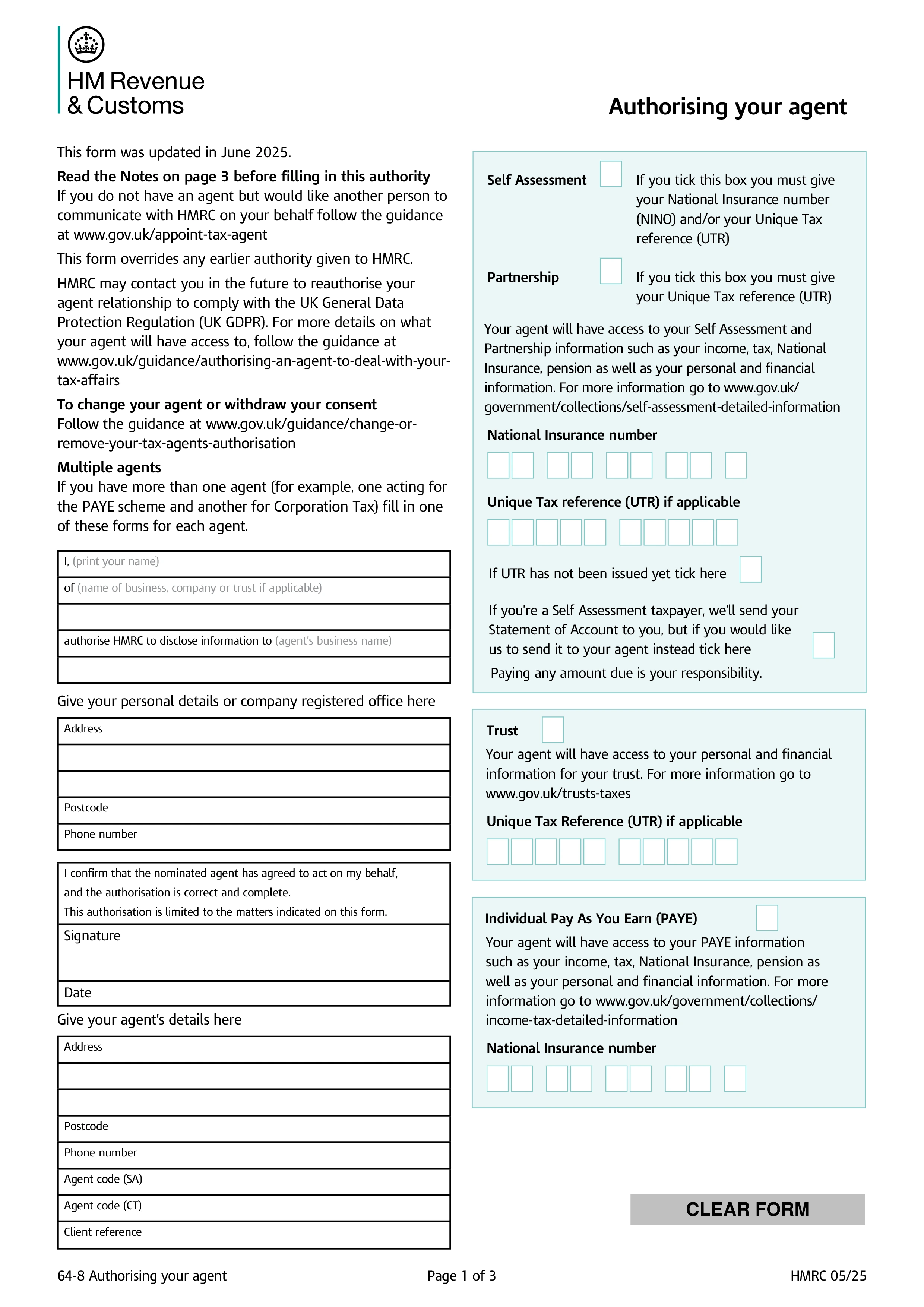
HMRC Form 64-8, Authorising Your Agent, is the official document a taxpayer (individual or business) signs to authorise an accountant, tax adviser, or other agent to deal with HMRC on their behalf. Once submitted and processed, HMRC will correspond with the agent — answering queries, sending notices, receiving information — for the tax regimes selected on the form. Most accountancy and tax adviser relationships in the UK start with a signed 64-8 covering the relevant taxes.
The form has tick-boxes for each tax regime the authorisation should cover: Self Assessment (individuals or partnerships); PAYE (employers); VAT; Corporation Tax; Construction Industry Scheme; trusts and estates; tax credits; and High Income Child Benefit Charge. The taxpayer can authorise the agent for one regime or several. Authorisation continues until the taxpayer or agent ends it — usually through HMRC's online services or a new 64-8 designating a different agent.
HMRC has gradually moved most agent authorisation online through the Agent Services Account (ASA) and the digital handshake process — for many services, the taxpayer simply confirms authorisation in their HMRC online account. Form 64-8 remains the fallback for clients without digital access, for older regimes not yet fully digitised, and for cases where the agent prefers a written authorisation on file. Many practices use the digital route for new clients and 64-8 for the rest.
The taxpayer completes their personal/business details, the agent provides their name and agent reference numbers, and both sign and date. Tick every regime the authorisation should cover. Send the completed 64-8 to the address listed in the form's instructions — HMRC has different central addresses for individuals, agents, and certain tax regimes. Processing typically takes several weeks, after which the agent appears on HMRC's records for the listed regimes. Keep a copy of the signed form for your records and update it when the agent changes or the authorisation ends.
1. Compila il modulo
Inserisci i tuoi dettagli e informazioni, aggiungi data e personalizza come necessario
2. Aggiungi la tua firma
Aggiungi firma legalmente vincolante disegnando, caricando o digitando
3. Scarica o condividi
Il tuo modulo è pronto, scarica, condividi link o invia via email istantaneamente